How to write a device-specific redirection script
In the last post, I covered some different ways of getting a single download link for both your Android and iOS apps. Now I will show you how to make your own script for determining the user’s device and then sending them to the appropriate app store.
To summarise the functionality, we take a look at the User-Agent passed to the browser – and then provide a different user journey for each of the platforms. This could be an auto-redirect to the App or Play Store, or providing a device specific download link.
What is the User-Agent?
The User-Agent request header is a characteristic string that lets servers and network peers identify the application, operating system
source: mdn web docs
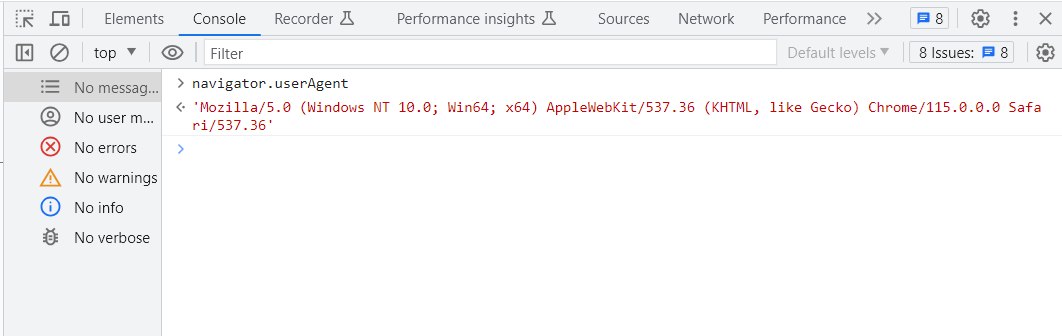
You can easily check your User-Agent. Simply access the developer tools in your browser (e.g. F12 on Google Chrome for Windows) and type ‘navigator.userAgent’ into the console.
The script itself is actually very simple!
But before we look at it, this is a good time for a short disclaimer. The script will not work in 100% of cases. There are many ways to fake the User-Agent, not least by using the mobile view in your browser (more on that shortly). Mdn web docs provide a pretty thorough breakdown on why user agent sniffing is so tricky. You’ll want to do your own research before launching anything to production.
Anyway… on to the script!
<div id="text">
You are a using a <div id="platform"></div>
device
</div>

<script>
  function getOsFromUserAgent() {

    var userAgent = navigator.userAgent
    var platform;

    if (userAgent.includes('Android')) {
      platform = 'Android'
      // redirect link for Android. Add Play Store link below
      //window.location.href = 'https://www.google.com'
    } else if (userAgent.includes('iPhone') || userAgent.includes('iPad')) {
      platform = 'iOS'
      // Redirect link for iOS
      //window.location.href = 'https://www.apple.com'
    } else {
      platform = 'non-Android or iOS'
      // Fallback redirect for other platforms
      //window.location.href = 'https://www.windows.com'
    }

    document.getElementById('platform').innerHTML = platform
  }
  getOsFromUserAgent()
</script>
Testing the script
1. Copy and paste the script above into your favourite coding tool.
2. Save it and open the file in your browser
3. You should see the ‘You are a using a non-Android or iOS device‘ message outputted
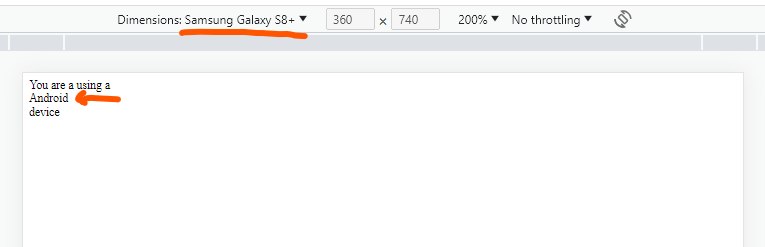
Let’s check it works with other platforms! Go to your browser’s developer tools, and select the mobile view. In Google Chrome, this is the button in the top left corner.
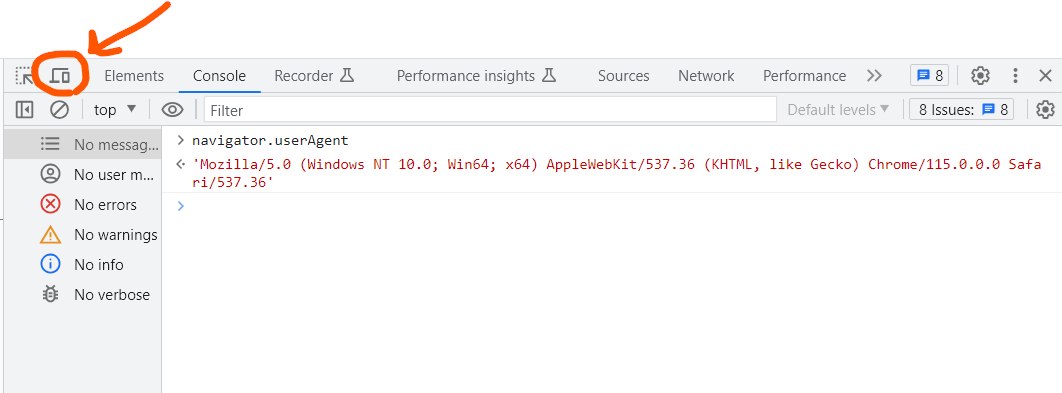
Select an Android or iOS device to emulate and reload the page! You should see the correct platform message outputted.
Finishing up
Finally – once you’re done testing, you can add your App and Play Store links in the script, uncomment the ‘window.location.href’ lines and remove the platform variable.
And that’s it! Your very own platform auto-redirect script.