What is an event (in the context of marketing attribution and tracking)?
Seeing as I will be referring to events, event tracking and attribution quite a lot in some upcoming posts, I thought it would be rather fun (not to mention useful) to quickly outline this vital martech concept.
_What is an event?__
In a marketing tracking context, an event is simply a user action taking place on your mobile app, website, backend – in short, any infrastructure you have access to.
Here are some common examples:

Signup
when a user registers with your product or service and provides personal data

Purchase
when a user buys something from you, or starts a subscription

Uninstall
an undesired event! When someone deletes your app from their smartphone
Although the above events will be familiar to many companies, everyone will have a distinct list of events they track depending on the product and customer journey. These events are often recorded in an event schema – a document recording the event names, trigger conditions and platform, amongst other things.
An event always has a name, but they are also normally sent with properties. These are additional pieces of data passed with the event and provide additional context. Some common examples:
- Timestamp when the event is fired
- User identifiers e.g. email, uuid
- Device details e.g. advertising IDs for mobile, operating system version
- For ecommerce events like purchase, the product ID/name might be passed
To make them easily readable by tools and scripts, events are often represented in JSON format.
Here is a basic example:
{
    "event":"purchase",
    "timestamp":"2023-08-23T08:30:00Z",
    "properties": {
        "productId":"423531",
        "productName":"martech-hacks t-shirt",
        "category":"birthday gifts",
        "price":"23.99",
        "currency":"EUR"
    }
}_Why are events important for marketing?__
There are 3 principle reasons for digital marketers:
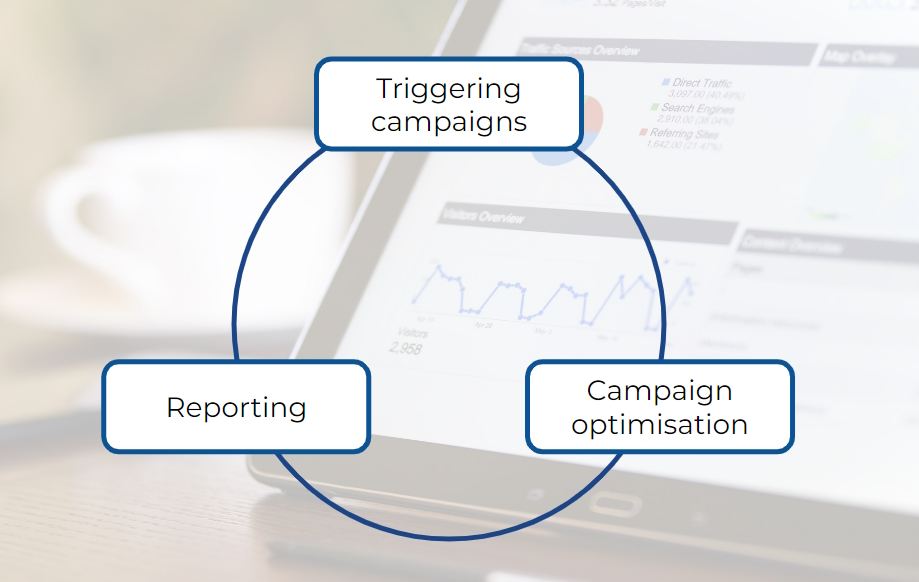
1. Triggering campaigns: events are often used to send campaigns. For example, sending a ‘welcome’ email after a customer completes the signup process.
2. Reporting: events can be used as success metrics or goals for campaigns. For example, an add to cart campaign will normally be judged on the number of purchases it influences
3. Campaign optimisation: by feeding events into acquisition platforms e.g. Google Ads, with user identifiers like advertising IDs, the bidding algorithms are trained; becoming more efficient and reducing costs
The events that marketers will be most interested in are normally around customers’ early engagement (app install, signup), purchasing steps (add to cart, purchase) and retention (repeat purchase).
_How are events set up?__
Events are normally added by the Engineering team (especially in mobile apps). As mentioned, events must have a trigger – the exact step in the app, website or other platform where they fire.
Once the event schema is set up, marketers then need to request additional events. Many companies use tools like Google Firebase to maintain their event schema, and there is a fast increasing use of Customer Data Platforms (CDPs) which allow easy event forwarding to pre-coded destinations such as Google Ads, Braze and Salesforce.
Using tools like Google Tag Manager, technically minded marketers can even add their own events!
<script>
window.dataLayer = window.dataLayer || [];
window.dataLayer.push({
 'event': 'new_subscriber'
 });
</script>