Cookies and user consent
Every digital marketer will be aware of the increasing limitations on cookies due to recent legal developments in the EU and in other jurisdictions around the world.
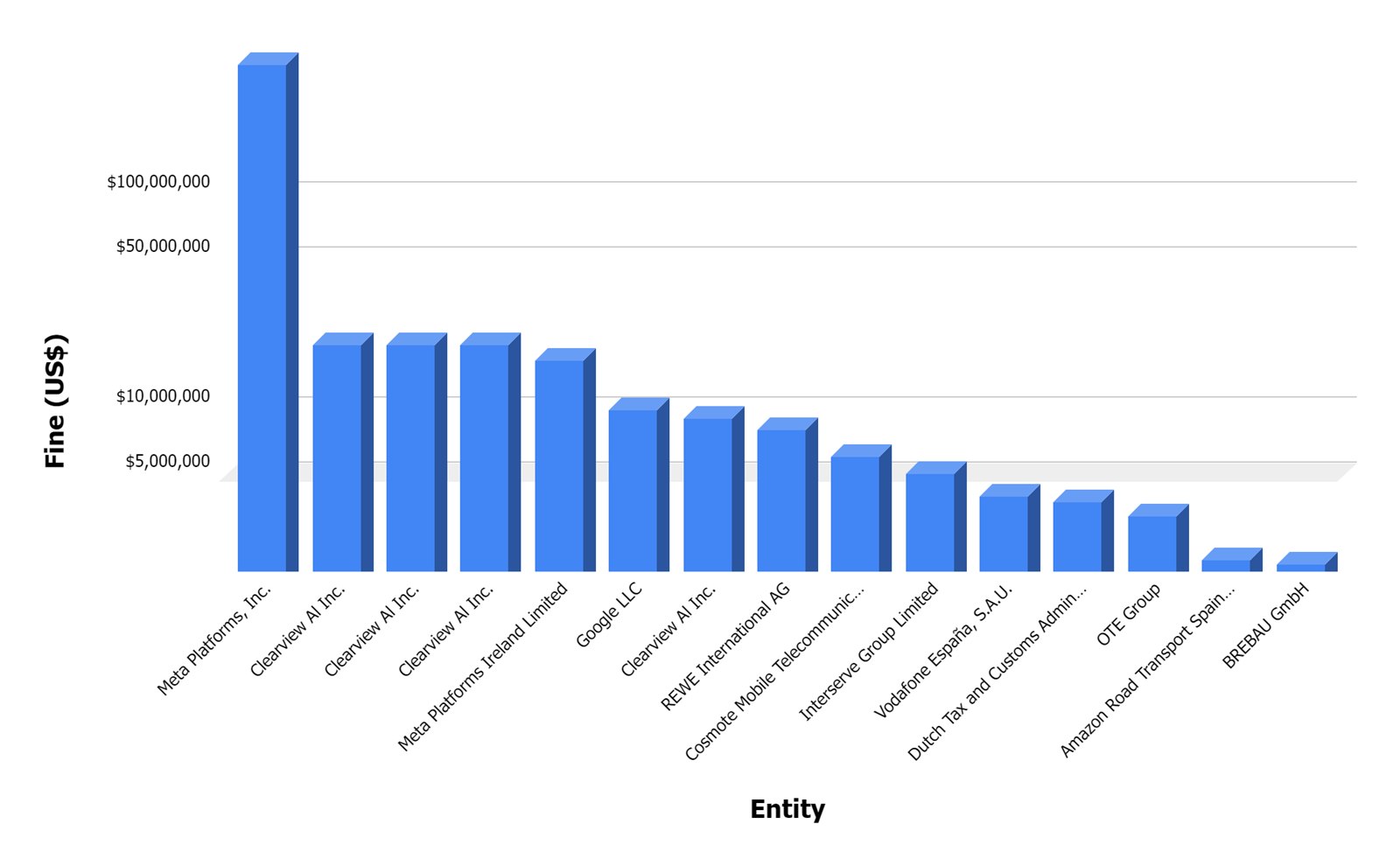
Data misuse is taken seriously by the authorities and many huge companies have fallen foul of these laws over the last few years including Amazon, who were famously hit with a record €746 million fine in 2021 (although whether they will actually pay is anyone’s guess). Meta and Google have also racked up bills of €405m and €150m respectively in the last 12 months. Enforcement is not limited to these tech giants, however. Hundreds of judgements have been handed out since 2018 with penalties ranging from the astronomical sums above, down to less than €100.
What is a cookie?
In case you haven’t worked with them before: cookies are small files stored on a web browser, consisting of a key (the name of the cookie) and a value (the text stored). Cookies are domain specific. This means that a cookies set in your browser from one website cannot be read by another one. They also have an expiry date – often a year, but can be for only a single session.

The most important distinction between cookie types, especially for privacy considerations, is 1st party vs. 3rd party cookies.
1st party cookies are those which are set directly by the website which you’re visiting whereas 3rd party cookies are those set by other entities via scripts placed on the hosting website, often through services like Google Tag Manager.
Cookies fulfill many purposes, including some website-functionality essential ones like storing login data, and others related to tracking and personalised advertising:
- Saving site preferences between sessions
- Recording user login and authentication data
- Tracking website performance
- Visitor and session source attribution
- Serving personalised ads based on previous website interactions
Where can I find the cookies in my browser?
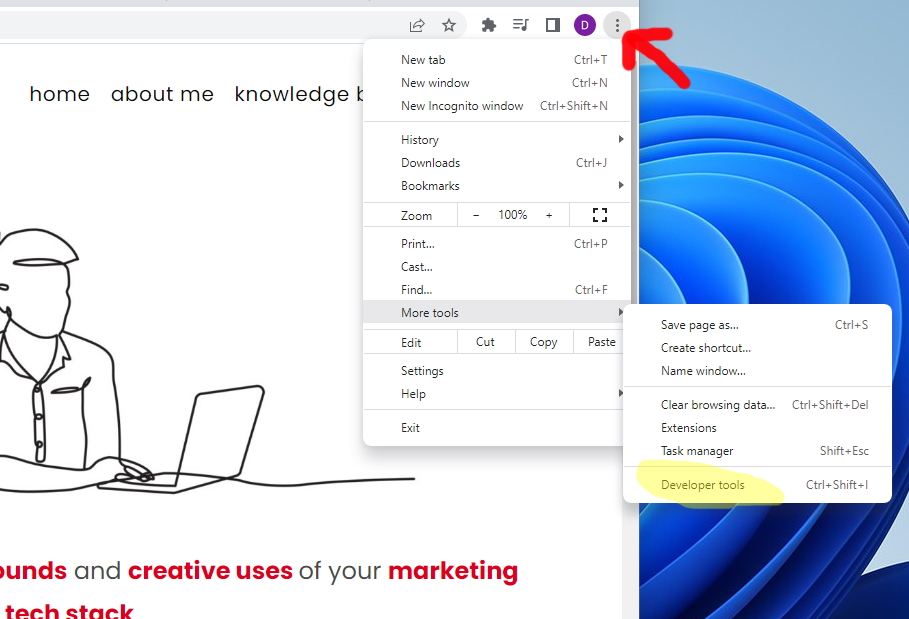
To see the cookies stored, web browsers like Chrome and Firefox include developer tools, which also provide tons of fascinating information about the site you’re visiting. I strongly recommend you spend some time going through the developer tools on your chosen browser – they are super useful for understanding how a website works!
The developer tools in Chrome can be accessed like in the screenshot below:
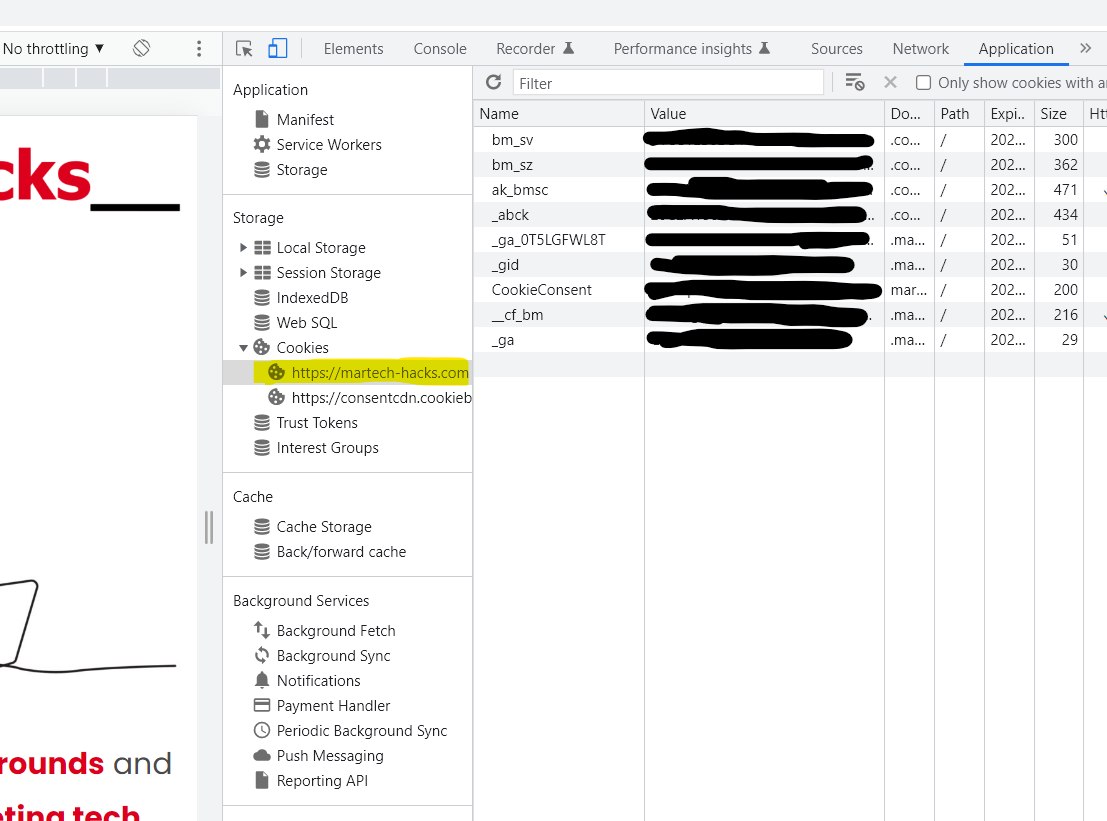
Navigate now to the developer tools, go to the application tab and click on cookies title under the storage sub-section. If you consented to cookie tracking when visiting Martech- Hacks for the first time, you should see some cookies from Google Analytics, Cookiebot and WordPress plugins.
Blocking cookies until consent is given
In the olden days, websites could set cookies at will (although you could block/clear them with configuration settings in your browser). In contrast, all websites should now have a way of blocking cookies until user consent is given. There are many specialist tools available which do all this work for you: Cookiebot, Onetrust and Osano are some examples.
Cookies need to be classified:
- Necessary – data which is strictly required for website function. E.g. login details, so you don’t have to re-enter your password on every page view. You don’t need to ask for consent for these.
- Preferences – cookies recording the options which users have selected on your site, such as language settings. Consent required.
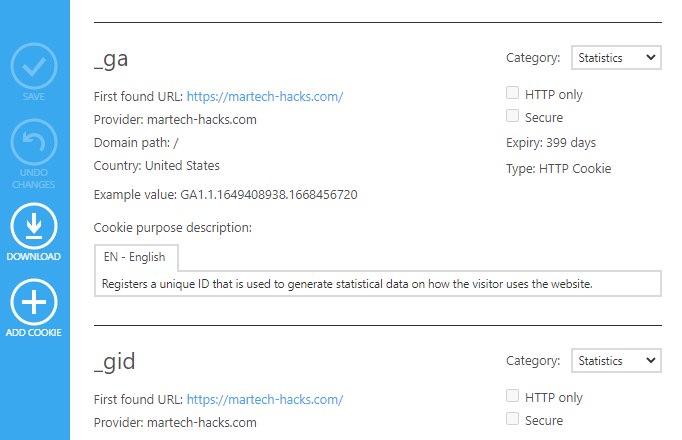
- Statistics – For recording analytical data, like page views, sessions and other user engagement events. Consent required.
- Marketing – This classification is for all your personalised ads, conversion event tracking and so on. Consent required.
Thanks for reading! If you’re interested in some more in-depth technical info including how to set up a consent manager (Cookiebot) on your website, please check out this follow up post.